
Calculating Support and Resistance from Swings Using Lists and Loops (Point-and-Click NinjaTrader® Strategy)

Original Trading Strategy
Peer Reviews, Modifications & Responses
Thanks for Sharing!
Trading Strategy Summary
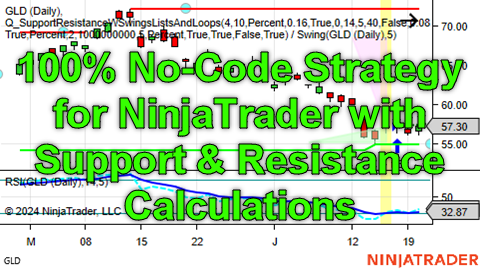
This strategy demonstrates one way to calculate the relative support and resistance of a price chart and then use the ratio of the “Support Score” and “Resistance Score” as one of the metrics used to determine if a long position should be entered, assuming that some other entry conditions not related to support and resistance are also True.
When calculating a custom “Support Score” and “Resistance Score”, the first decision is what raw data should be used as points on the chart that are support or resistance. This strategy uses the swing highs and swing lows as determined by the “Swing” indicator, which is built into NinjaTrader®.
New swing highs and new swing lows do not occur every bar. They occur every so many bars, and the number of swings between bars can vary widely. Therefore it is difficult to use the Swing indicator itself, an Editable Time Series holding custom calculated values for each bar, or any other time series that has one decimal value for every bar. Since the strategy uses a user-specified number of most recent swing highs and lows for its raw data, and since these swing points could occur quite infrequently and irregularly, it makes sense to first simplify the data by compressing it into “parallel lists” using Quagensia N Edition List internal variables on each bar close when a new swing high or swing low is encountered. This strategy does this by checking if a new swing high or new swing low occurred on each bar close event, and if one did occur, this strategy adds an item to the end of the “parallel lists” that each hold one kind of data about the swing high and low points, and it draws a dot on the chart.
Note: “Parallel lists” of swing high and low points are lists that each have the same number of items, where items at a given “0-based” (i.e. counting starting at 0, not 1) numeric index in each of the lists, such as “index 0” for the 1st item in the lists or “index 4” for the 5th item in the lists, all store data about the same swing high or low point whose data was added to the parallel lists when a new swing high or low occurred.
Not all the “parallel lists” populated with new swing high and low data are used by this strategy, but the lists are populated so that you can make a copy of this strategy and use the data in these unused lists as part of your own custom calculations for support and resistance.
Note that price changes in the swing high and low plots on the chart precede the actual swing high and swing low points by a number of bars equal to this strategy’s “Swing Strength” input parameter. It is the swing high and low points, represented by dots on the chart, that are used in the calculations in this strategy, not the price changes of the swing high and low plots that precede them.
Once the number of swing high and low points encountered by this strategy is greater than or equal to the input parameter named “Nbr of Swings Back to Consider for Support/Resistance”, this strategy starts considering support and resistance for entry signals.
It checks the simpler entry conditions, when are not related to support and resistance, first since they likely take less computational resources than the support and resistance calculations that are done further down in the trading logic and only if the simpler entry conditions are True. If the Set of Conditions made from the simpler entry conditions does not evaluate to True, there is no reason to do the more computationally intensive support and resistance calculations further down in the trading logic.
If the simpler entry conditions indicate that an entry should occur, then calculations are done in a “While Loop” that starts from the 0-based index of the last item in each of the parallel lists, which contain the information about the most recent swing high or low point, and counts backward to get and process data from the number of most recent swing high and low points that was specified by this strategy’s “Nbr of Swings Back to Consider for Support/Resistance” input parameter, and does calculations on the data for these most recent swing high and low points to calculate values such as:
1. The total number of swing high and low points above the current close price (resistance) and below the current close price (support). Presumably, the higher the ratio of number of points that offer support vs. number of points that offer resistance, the more bullish the chart is from the perspective of support and resistance.
2. The average distance of the swing high and low points that are above the current close price (resistance) and below the current close price (support). Presumably, the closer the support points are below the current close price and the further away the resistance points are above the current close price, the more bullish that the chart is from the perspective of support and resistance.
The strategy then uses the values calculated in the While Loop to calculate the average distances of support and resistance from the entry signal bar’s close price and the percent of the way from support and resistance that the entry signal bar’s close price represents. Note that this percentage may not be used in this strategy but may be useful in strategies that use this strategy as a starting point.
Then, a “Support Score” and “Resistance Score” are calculated separately by multiplying the number of points that represent support (or resistance) and a ratio of the close price of the entry bar and the average distance of the support (or resistance) points from the close price of the entry signal bar’s close price.
The algorithmic properties of these simple calculations for the Support Score and Resistance Score are as follows:
1. The Support (or Resistance) Score *increases linearly* with the number of total support (or resistance) points because this number is in the numerator of the score. So if 8 of the last 10 swing highs and swing lows were support points (because they are below the close price of the entry signal bar) and only 2 were resistance points (because they are above the close price of the entry signal bar), the Support Score would be multiplied by 8 whereas the Resistance Score would be multiplied by 2, making the Support Score start off 8/2=4 times as high as the Resistance Score. No attempt was made to discount the value of support or resistance due to a swing high or low point being really far in the past instead of quite recent, but two of the parallel lists hold data that could be used to do this based on the relative differences in bar numbers from the current bar or based on the relative differences of how long ago, in units of minutes, days, etc., swing highs and lows occurred. The widths of the right triangles drawn on the chart are the number of swing highs and lows that were support or resistance, so if there were 8 resistance points, a translucent pink triangle will have a width of 8 bars, and if there were 2 support points, a translucent light green triangle will have a width of 2 bars.
2. The Support (or Resistance) Score *decreases linearly* with the average distance of the support (or resistance) points’ prices from the close price of the entry signal bar because this number is in the denominator of the score. So if the average distance of the support points’ prices from the close price of the entry signal bar is 5.00 and the average distance of the resistance points’ prices from the close price of the entry signal bar is 10.00, the Support Score would be divided by 5.00 whereas the Resistance Score would be divided by 10.00, making the Support Score another 10.00/5.00 = 2.00 times as high compared to the Resistance Score from step 1 above. Given that in the example above the Support Score started off as 4 times as high as the Resistance Score since 8 of the 10 swing highs and lows were support, the Support Score in this example would be 4*2.00=8.00 times as high as the Resistance Score. The heights of the right triangles drawn on the chart are these average distances from the close prices of the entry signal bars to the average support or resistance prices.
3. The only reason that both the Support and Resistance Scores are multiplied by the close price of the entry signal bar is so that their final values won’t be too tiny (like 0.00035) and therefore hard to read. Instead, multiplying the Support and Resistance Scores by the close price of the entry signal bar will create scores that are more recognizable by a trader used to an instrument trading at a certain price.
Then, the ratio of the “Support Score” and “Resistance Score” is calculated. If the Support Score is larger than the Resistance Score, the ratio will be greater than 1, if the Support Score is smaller than the Resistance Score, the ratio will be less than 1 but not less than 0, and if both scores are the same, the ratio will be equal to 1.
Then, if the ratio of the support and resistance scores is between the upper and lower thresholds specified by the corresponding upper and lower threshold input parameters, a long position is entered using a market order.
The ratio of the Support and Resistance Scores, as well as all the metrics that went into calculating this ratio, are printed on the chart for each potential entry bar by default to help new users understand the calculation of this ratio. Quite a bit of text is displayed and it can clutter up the chart. Once you’ve seen the metrics, you can stop them from printing on the chart by setting the input parameter named “Show Support / Resistance Calculations On Each Entry Signal Bar on Chart?” to True by checking its check box in the NinjaTrader® user interface.
Copyright © 2024 Quagensia, Inc. All rights reserved.
How to Get the Quagensia Strategies
This point-and-click trading strategy is built into Quagensia N Edition (for NinjaTrader®).
Customize Quagensia Strategies with Your Own Ideas
Tweaking Quagensia Trading Strategies using point-and-click with the Quagensia Desktop Application is easy for non-programmers. If you get stuck you can usually find the answer you need in our online help documentation or you can ask a question in our friendly Discord community.
If you don’t want to tweak a Quagensia Trading Strategy with point-and-click to add your own proprietary trading logic, you can still download a Quagensia Trading Strategy file, open it up in the Quagensia Desktop Application, and generate its code, then backtest and optimize the trading strategy on different instruments, different bar periods (weekly bars, daily bars, hourly bars, 15-minute bars, etc.), or different bar types (time-based bars, volume-based bars, tick-based bars, etc.), and use different start and end dates.
Some tweaks you can make to the Quagensia Trading Strategies you download include:
Modify the entry & exit logic.
- Add more conditions, remove conditions, or change them by choosing from among a very large number of components, including many exotic indicators.
- Add or modify stop losses, trailing stops, and profit targets. Make them tighter, less tight, or based on an entirely different calculation.
- Add or modify time stops. For example, exit after a certain number of bars either unconditionally or only if the post-entry price action did or did not exhibit certain characteristics.
Enhance the output of the strategy to go beyond simply placing orders.
- Draw lines, shapes, and text on the chart. For instance, you can mark times or prices where each entry or exit condition of a multi-condition entry or exit was true, even if all the necessary entry or exit conditions were not true at the same time so an entry or exit did not occur.
- Write information to NinjaTrader®’s NinjaScript® Output window or TradeStation®’s EasyLanguage® Print Log window.
- Write information to a file. You can even output a report that can be opened in Microsoft Excel or consumed by another application that reads comma-delimited, semicolon-delimited, or otherwise character-delimited tabular data files.
Thanks for Sharing!









